Many iOS apps rely on custom APIs built with Vapor, and when those services become unavailable due to a DoS attack, the user blames the app, not the server. Showing iOS developers how to design safer backend interactions, implement rate-limiting with Redis, and understand threat models helps them build more resilient apps, anticipate real-world traffic spikes, and avoid outages that can ruin user experience.
In this post, we’ll build a simple Vapor service encapsulated in a Docker container, and then integrate and configure Redis to help protect the service from DoS attacks.
Hello Vapor Server
Start by creating a new Vapor project using the following command:
vapor new VaporDoS You will be asked about Fluent and Leaf, but we will not be working with databases (Fluent) or HTML templates (Leaf).
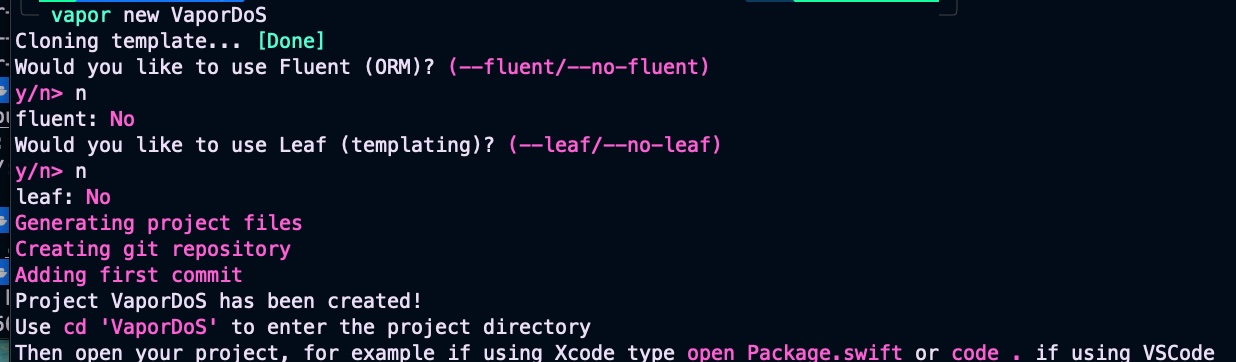
Navigate to the newly created folder. In this example, we’ll use Visual Studio Code as our source editor. Let’s begin by defining the dependencies and targets for our Vapor project:
// swift-tools-version:5.9
import PackageDescription

let package = Package(
    name: "VaporDockerExample",
    platforms: [
        .macOS(.v13)
    ],
    dependencies: [
        .package(url: "https://github.com/vapor/vapor.git", from: "4.92.0")
    ],
    targets: [
        .target(
            name: "App",
            dependencies: [
                .product(name: "Vapor", package: "vapor")
            ],
            path: "Sources/App"
        ),
        .executableTarget(
            name: "Run",
            dependencies: [
                .target(name: "App")
            ],
            path: "Sources/Run"
        )
    ]
)
This Swift Package Manager manifest defines a Vapor-based server project called VaporDockerExample, specifying that it runs on macOS 13 or later and depends on the Vapor framework (version 4.92.0 or newer). It organizes the project into two targets: an App target that contains the application logic and imports the Vapor product, and a Run executable target that depends on the App target and serves as the entry point for launching the server. The file essentially tells SwiftPM how to build, structure, and run the Vapor application.
Later on, we’ll continue by defining the configuration in configuration.swift:
import Vapor

public func configure(_ app: Application) throws {
    // Hostname: en Docker debe ser 0.0.0.0
    if let host = Environment.get("HOSTNAME") {
        app.http.server.configuration.hostname = host
    } else {
        app.http.server.configuration.hostname = "0.0.0.0"
    }

    // Puerto desde variable de entorno (útil para Docker / cloud)
    if let portEnv = Environment.get("PORT"), let port = Int(portEnv) {
        app.http.server.configuration.port = port
    } else {
        app.http.server.configuration.port = 8080
    }

    // Rutas
    try routes(app)
}
It configures a Vapor application by setting up its HTTP server hostname and port based on environment variables, which is particularly useful when running inside Docker or cloud environments. It first checks for a HOSTNAME variable to determine the server’s bind address, defaulting to 0.0.0.0 so the service is accessible from outside the container. It then reads the PORT environment variable to set the listening port, falling back to port 8080 if none is provided. Finally, it registers the application’s routes by calling routes(app), completing the server’s basic setup.
Next, let’s define a new route for our hello endpoint:
import Vapor

func routes(_ app: Application) throws {
    app.get("hello") { req -> String in
        return "Hola desde Vapor dentro de Docker 👋"
    }

    app.get { req -> String in
        "Service OK"
    }
}
This code defines two HTTP routes for a Vapor application. The first route, accessible at /hello, responds to GET requests with the text “Hola desde Vapor dentro de Docker 👋”. The second route is the root endpoint /, which also responds to GET requests and returns “Service OK”. Together, these routes provide simple test endpoints to verify that the Vapor service is running correctly, especially when deployed inside Docker.
import App
import Vapor

@main
struct Run {
    static func main() throws {
        var env = try Environment.detect()
        try LoggingSystem.bootstrap(from: &env)
        let app = Application(env)
        defer { app.shutdown() }
        try configure(app)
        try app.run()
    }
}
This code defines the main entry point for a Vapor application, handling its full lifecycle from startup to shutdown. It begins by detecting the current runtime environment (such as development or production), initializes the logging system accordingly, and then creates an Application instance based on that environment. After ensuring the application will shut down cleanly when execution finishes, it calls configure(app) to set up server settings and routes, and finally starts the server with app.run(), making the Vapor service ready to accept incoming requests.
Once we’ve finished implementing our Vapor code, the next step is to define a Dockerfile that will build and package our application into a lightweight image ready to run in any containerized environment.
# Phase 1: build
FROM swift:5.10-jammy AS build

WORKDIR /app

# Copy Package.swift and Source folder
COPY Package.swift ./
COPY Sources ./Sources

# (Optional) resolve dependencies before, for cache
RUN swift package resolve

# Compile in release mode
RUN swift build -c release --static-swift-stdlib

# Phase 2: runtime
FROM ubuntu:22.04 AS run

# Minimal runtime dependencies for binary in Swift
RUN apt-get update && \
    apt-get install -y \
    libbsd0 \
    libcurl4 \
    libxml2 \
    libz3-4 \
    && rm -rf /var/lib/apt/lists/*

WORKDIR /run

COPY --from=build /app/.build/release/Run ./

EXPOSE 8080

# In order vapor listens inside Docker
ENV PORT=8080
ENV HOSTNAME=0.0.0.0

CMD ["./Run"]
This Dockerfile builds and packages a Vapor application into a lightweight, production-ready container using a two-phase approach. The first phase uses the official Swift 5.10 image to compile the app in release mode with static Swift libraries, producing a small and efficient binary. It copies the project’s manifest and source code, resolves dependencies, and builds the executable. The second phase creates a minimal Ubuntu 22.04 runtime image, installs only the system libraries required by the Swift binary, and copies in the compiled Run executable from the build stage. It exposes port 8080, sets the necessary environment variables to ensure Vapor listens correctly inside Docker, and finally launches the server.
This setup isn’t strictly necessary yet, but it prepares the project for a smooth integration of Redis in the next section.
version: "3.8"

services:
  vapor-app:
    build: .
    container_name: vapor-docker-example
    ports:
      - "8080:8080"
    environment:
      # Must match with what is being used in configure.swift
      PORT: "8080"
      HOSTNAME: "0.0.0.0"
    restart: unless-stopped
This docker-compose.yml file defines a single service called vapor-app, which builds a Docker image from the current directory and runs the Vapor application inside a container named vapor-docker-example. It maps port 8080 on the host to port 8080 in the container so the Vapor server is accessible externally, and it sets the environment variables PORT and HOSTNAME to ensure the app listens correctly, matching the logic in configure.swift. The service is configured to automatically restart unless it’s explicitly stopped, making it more resilient in development or production environments.
Build docker image and launch container by typing;
docker composeup --build 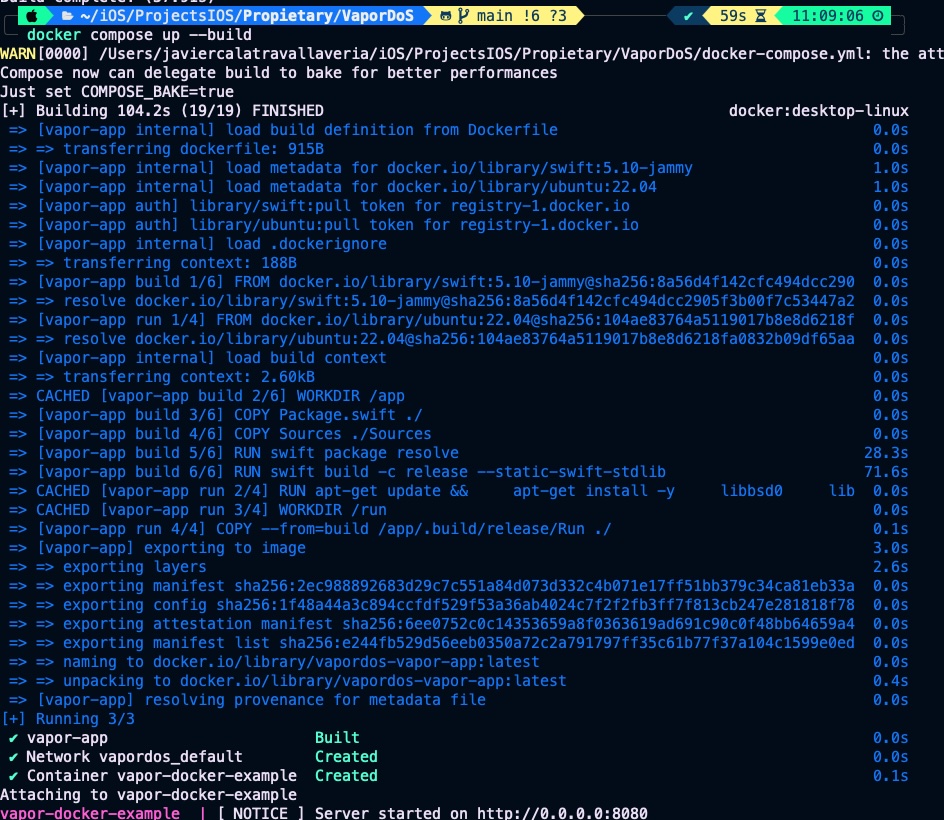
Vapor server is ready, now lets call the endpoint for chacking that all is in place:

Configure Redis for avoiding DoS attacks
A Denial-of-Service (DoS) attack occurs when a service is overwhelmed with excessive or malicious requests, exhausting its resources and preventing legitimate users from accessing it. Redis helps mitigate these attacks by serving as a fast, in-memory store that enables efficient rate limiting and request tracking; Vapor can use Redis to count requests per user or IP and reject or throttle those that exceed safe limits. By blocking abusive traffic early and cheaply, Redis prevents the application from being overloaded, keeping the service stable and responsive even under high or hostile load.
First step is adding Redis library in Package.swift:
// swift-tools-version:5.9
import PackageDescription

let package = Package(
   ...
    dependencies: [
       ...
        .package(url: "https://github.com/vapor/redis.git", from: "4.0.0")
    ],
    targets: [
        .target(
            name: "App",
            dependencies: [
               ...
                .product(name: "Redis", package: "redis")
            ],
            ...
    ]
)
Next step is configure Redis in configure.swift:
import Vapor
import Redis

public func configure(_ app: Application) throws {
    ...
    // Config Redis
    let redisHostname = Environment.get("REDIS_HOST") ?? "redis"
    let redisPort = Environment.get("REDIS_PORT").flatMap(Int.init) ?? 6379

    app.redis.configuration = try .init(
        hostname: redisHostname,
        port: redisPort
    )

    // Middleware de rate limit
    app.middleware.use(RateLimitMiddleware())

    // Rutas
    try routes(app)
}
This code configures a Vapor application to connect to a Redis instance by reading its host and port from environment variables, which is useful when running in Docker or cloud environments. It retrieves REDIS_HOST and REDIS_PORT, falling back to "redis" and port 6379 if they aren’t provided, ensuring sensible defaults when using a Redis container. It then applies these values to app.redis.configuration, enabling the application to communicate with Redis for features such as caching, rate limiting, or request tracking.
For easy testing, we’ll define a simple DoS protection rule stating that the /hello endpoint cannot be called more than twice every 30 seconds. This rule is implemented in RateLimitMiddleware.swift.
import Vapor
import Redis

struct RateLimitMiddleware: AsyncMiddleware {

    // Maximum 2 request every 30 secs
    private let maxRequests = 2
    private let windowSeconds = 30

    func respond(
        to request: Request,
        chainingTo next: AsyncResponder
    ) async throws -> Response {

        // Only apply to /hello service
        guard request.url.path == "/hello" else {
            return try await next.respond(to: request)
        }

        let ip = request.remoteAddress?.ipAddress ?? "unknown"
        let key = "rate:\(ip)"

        // INCR key
        let incrResponse = try await request.redis.send(
            command: "INCR",
            with: [RESPValue(from: key)]
        )

        let newCount = incrResponse.int ?? 0

        // When is first time, we set window expiration
        if newCount == 1 {
            _ = try await request.redis.send(
                command: "EXPIRE",
                with: [
                    RESPValue(from: key),
                    RESPValue(from: windowSeconds)
                ]
            )
        }

        // Limit overpassed
        if newCount > maxRequests {
            throw Abort(
                .tooManyRequests,
                reason: "You exeded the limit of 2 request every 30 secs on /hello endpoint."
            )
        }

        return try await next.respond(to: request)
    }
}
It defines an asynchronous rate-limiting middleware for Vapor that restricts access to the /hello endpoint by tracking requests in Redis. It identifies the client by IP address, increments a Redis counter (INCR) associated with that IP, and, on the first request within the time window, sets an expiration (EXPIRE) so the counter resets after 30 seconds. If the number of requests exceeds 2 within 30 seconds, the middleware throws a 429 Too Many Requests error with a descriptive message; otherwise, it allows the request to continue through the normal processing chain. This mechanism helps prevent abuse or DoS-like behavior on that specific route.
Last but not least, we need to update our Docker configuration. The first step is to add the Redis environment variables to the Dockerfile.
...
# In order vapor listens inside Docker
ENV PORT=8080
ENV HOSTNAME=0.0.0.0
ENV REDIS_HOST=redis
ENV REDIS_PORT=6379

CMD ["./Run"]
And finally update docker-compose.yml for adding Redis service and connect vapor-app with Redis.
version: "3.8"

services:
  vapor-app:
    build: .
    ports:
      - "8080:8080"
    environment:
      PORT: "8080"
      HOSTNAME: "0.0.0.0"
      REDIS_HOST: "redis"
      REDIS_PORT: "6379"
    depends_on:
      - redis
    restart: unless-stopped

  redis:
    image: redis:7-alpine
    container_name: redis-vapor
    ports:
      - "6379:6379"
    restart: unless-stopped
Rebuild the image and launch the container:
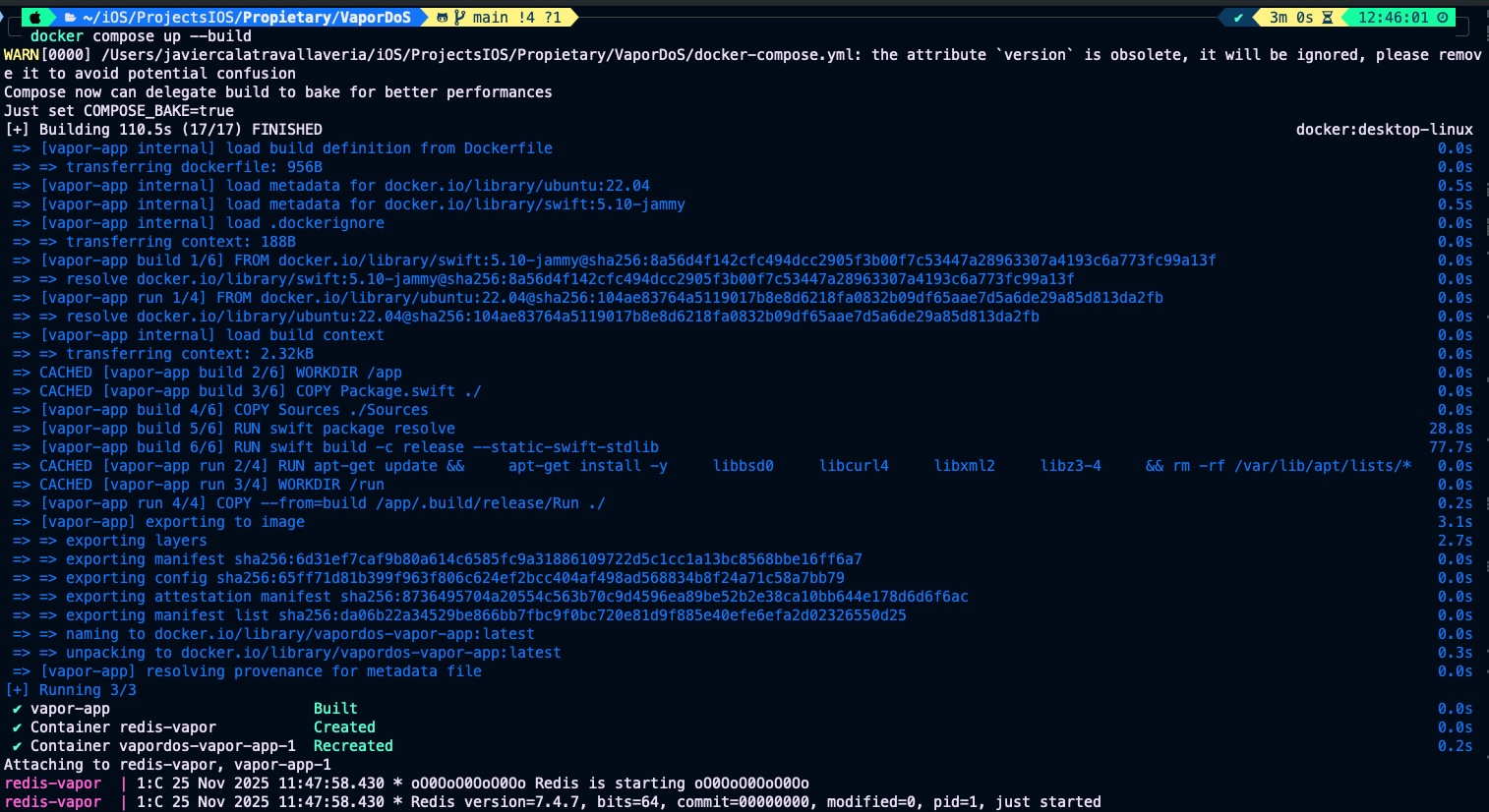
Call /hello endpoint 3 times:

The rule that we have set is not very realistic, but is a clear example
Conclusions
Once you start implementing backend services, protecting your code against potential attacks becomes essential. The goal of this post was to show you how to build a simple defense mechanism against DoS attacks when working with Vapor, helping you keep your services stable, secure, and resilient under unexpected or malicious traffic.
You can find source code used for writing this post in following repository
References
- Vapor driver for Redis
GitHub repository