What if your next backend server didn’t live in the cloud, but right inside your user’s Applications folder? By embedding a Vapor REST API inside a native macOS app, you can build powerful, cloud-free local tools using 100% Swift.
This architecture showcases the ultimate power of a unified Swift ecosystem, allowing you to develop the frontend UI, backend APIs, and shared data models within a single language and toolchain. It unlocks highly demanded, «local-first» use cases—such as building local smart home hubs, custom developer tooling, or Wi-Fi companion apps for iOS—all without the cost, complexity, or latency of cloud infrastructure.
In this post, we will walk through the entire process from scratch: creating a native macOS app, configuring the project’s Vapor dependencies, and writing the core concurrency code to get your sample desktop REST server up and running.
Creating macOS app from scratch
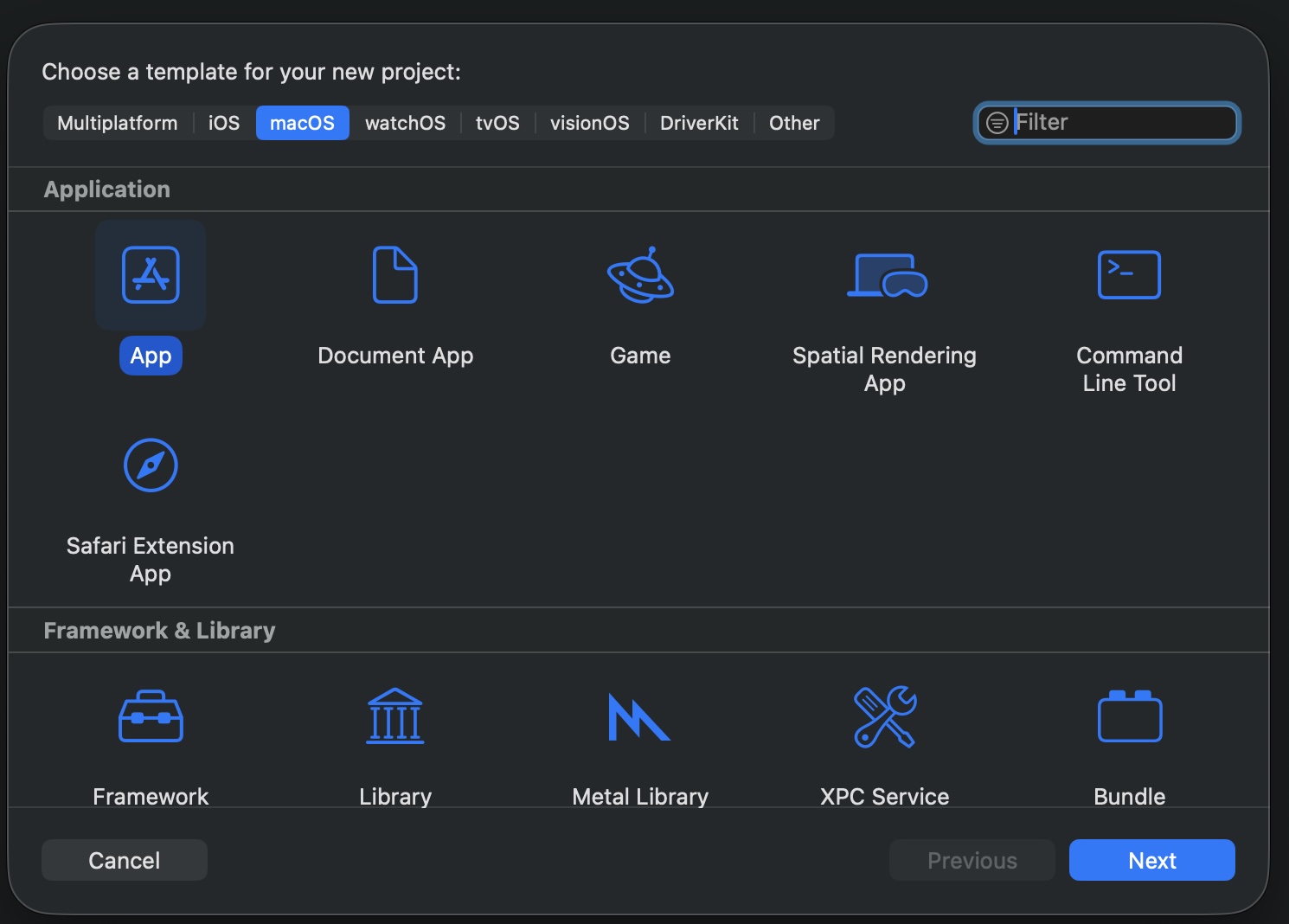
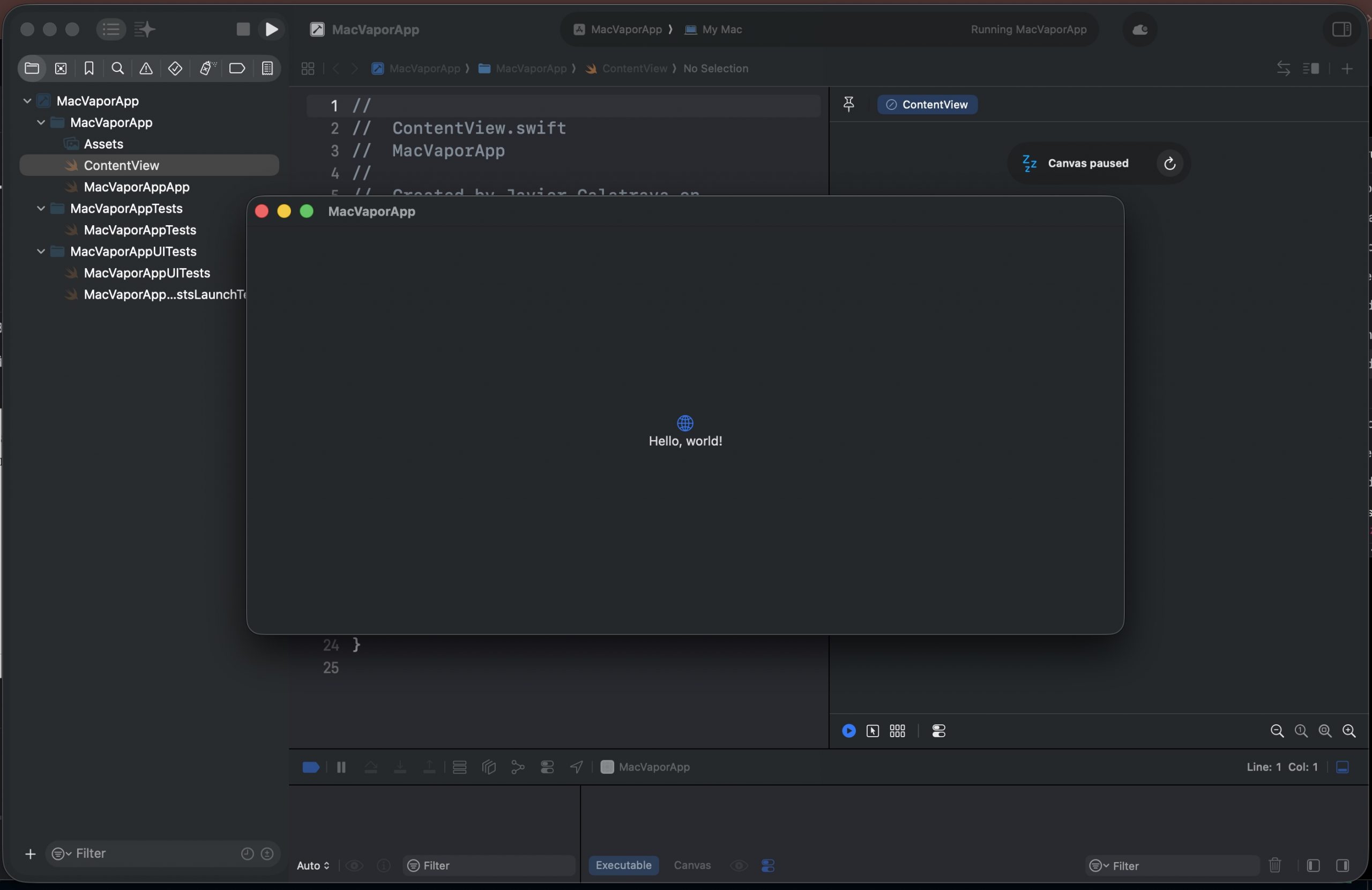
To create your macOS app, simply open Xcode and select the native macOS App template project to get started:
Next, build and run the project to check the application’s initial appearance.
Setting Up the Vapor Server Component
Vapor is an open-source, asynchronous web framework written in Swift that allows developers to build backend services—such as REST APIs, web apps, and WebSocket servers—using the same modern, type-safe language they use for iOS and macOS development. Instead of relying on a separate tech stack like Node.js, Python, or Go, Vapor enables you to write your entire application end-to-end in Swift.
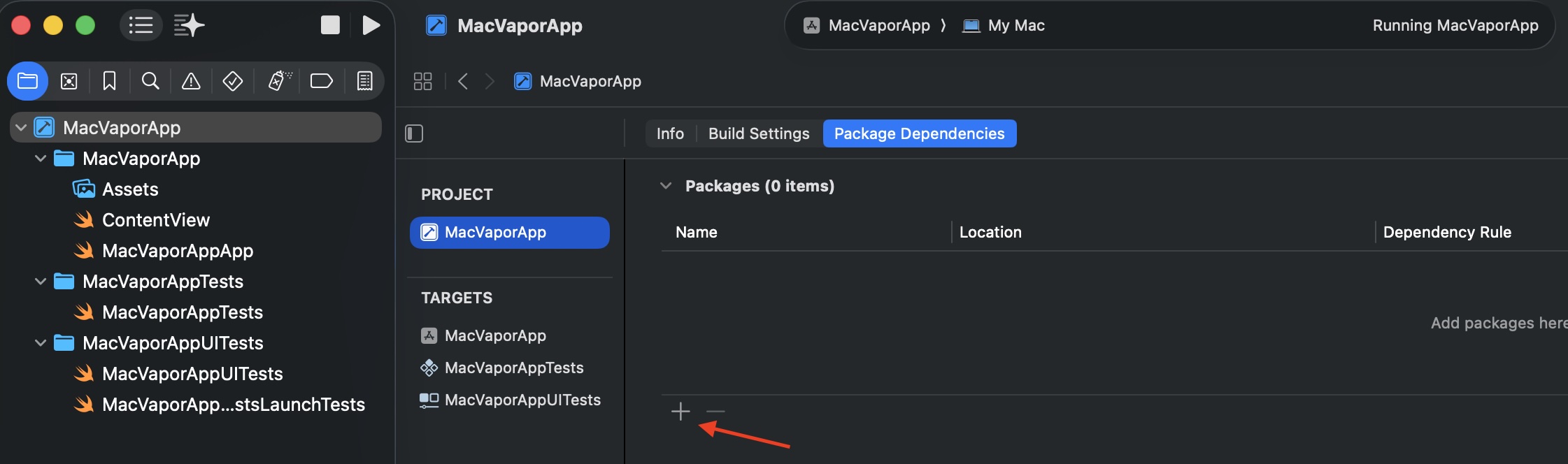
To integrate the framework into our macOS application, we will import the Vapor library via Swift Package Manager (SPM). To do this, simply navigate to your project’s Package Dependencies tab within Xcode’s project settings.
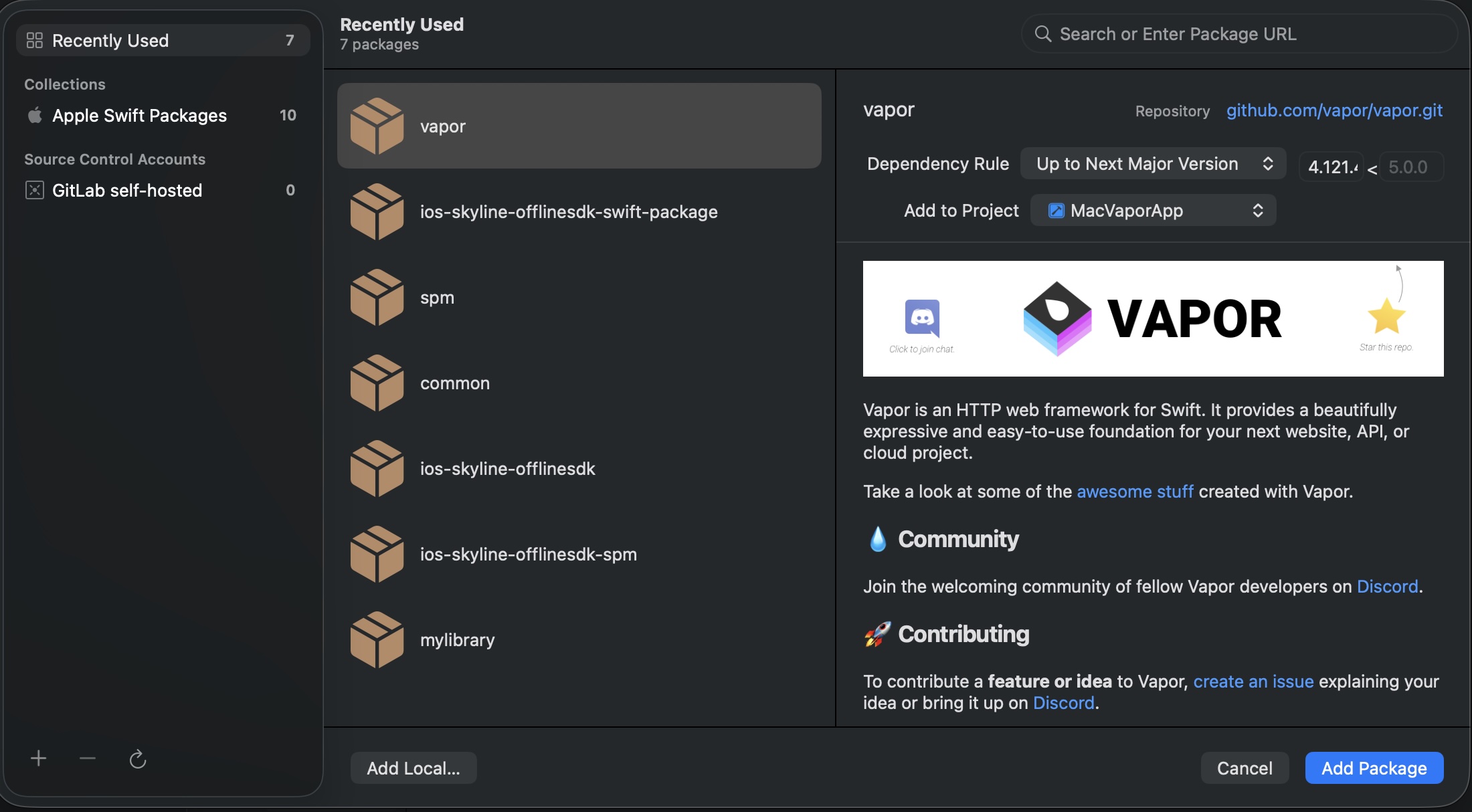
Enter https://github.com/vapor/vapor in the search field to locate the Vapor package.
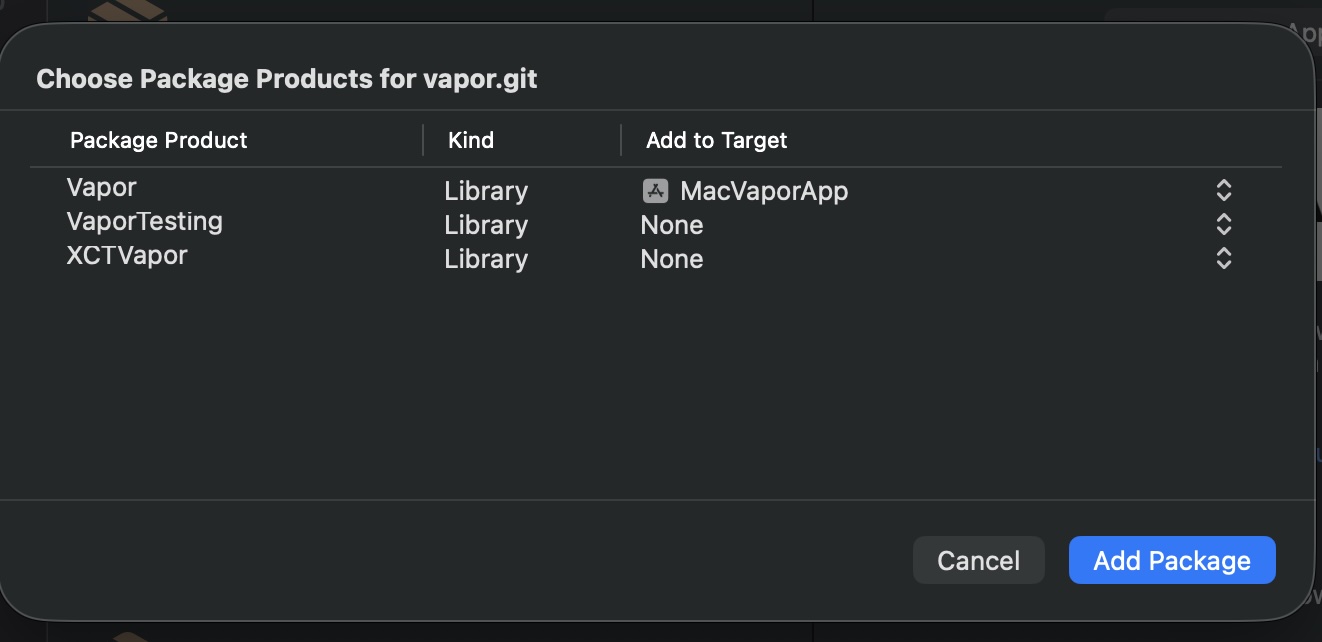
Make sure to add the Vapor package to your MacVaporApp target before completing the setup.
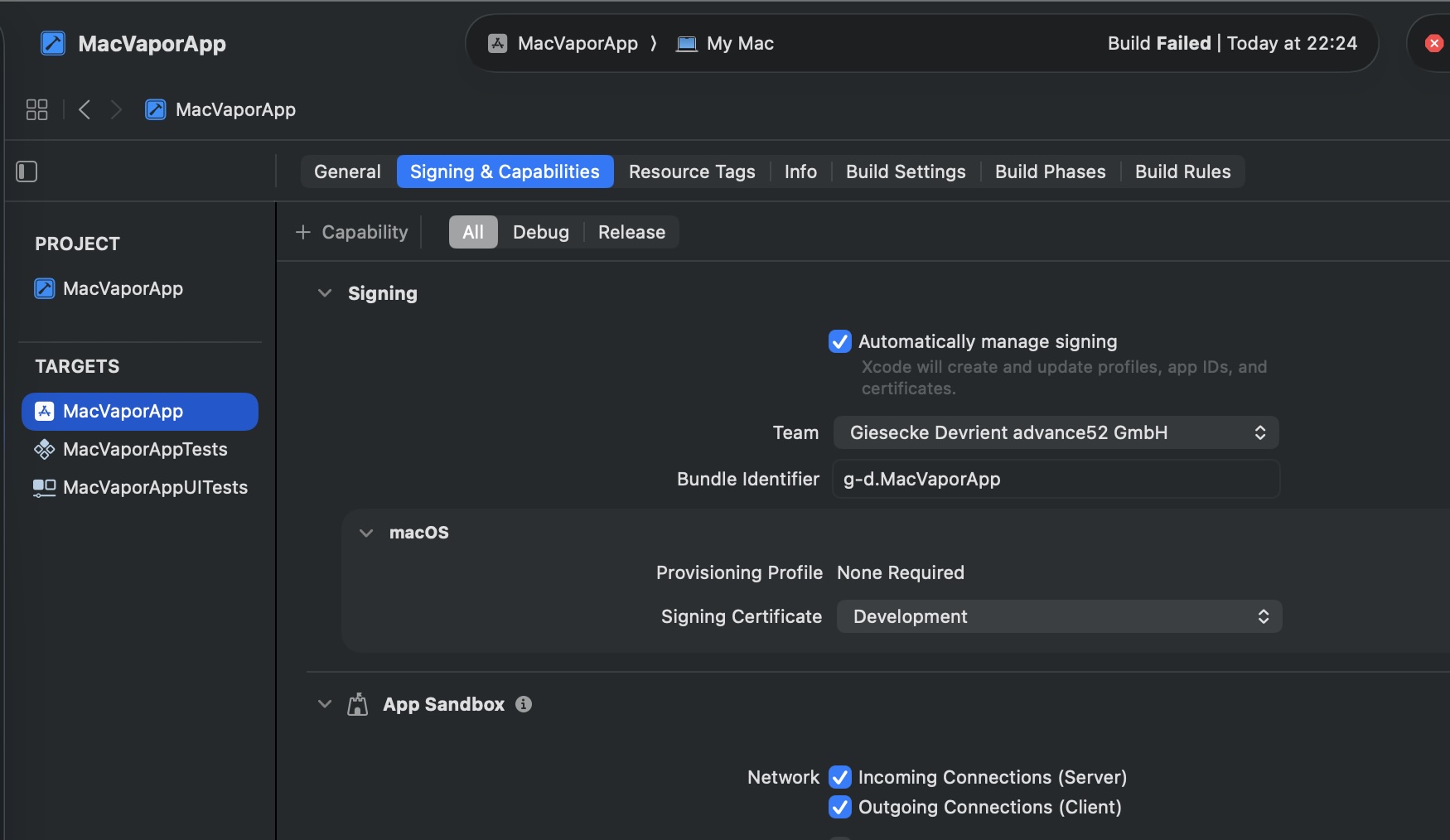
Enabling these network checkboxes is to configure the macOS App Sandbox security system, granting your application the essential network permissions to function as a web server. By default, macOS isolates applications and blocks network access for security reasons. Checking «Incoming Connections (Server)» allows your embedded Vapor backend to bind to a port (like 8085) and listen for incoming HTTP requests, preventing the server from crashing due to permission errors upon startup. Meanwhile, enabling «Outgoing Connections (Client)» permits your application to send the HTTP responses back to the requesting clients and allows your app to communicate with external APIs or remote databases, effectively transforming your secure desktop app into a fully operational and communicative web server.
Hands on code
The first compnente that we are to develop is ServerManager class:
import Vapor
import Foundation
import Combine

class ServerManager: ObservableObject {
    @Published var isRunning = false
    private var vaporApp: Vapor.Application?

    func startServer() {
        guard !isRunning else { return }

        Task.detached(priority: .background) {
            do {
                var env = Environment.development
                env.arguments = ["vapor"]

                let app = Vapor.Application(env)

                app.http.server.configuration.port = 8085

                app.get("hello", ":name") { req -> String in
                    guard let name = req.parameters.get("name") else {
                        throw Abort(.badRequest)
                    }
                    return "hello \(name)"
                }

                await MainActor.run {
                    self.vaporApp = app
                    self.isRunning = true
                }

                try await app.execute()

            } catch {
                print("Error en el servidor: \(error)")
                await MainActor.run { self.isRunning = false }
            }
        }
    }

    func stopServer() {
        guard isRunning else { return }
        vaporApp?.shutdown()
        self.isRunning = false
        self.vaporApp = nil
    }
}
This class controls the lifecycle of an embedded Vapor web server alongside an app’s UI by safely managing background threads. When startServer() is called, it spins up a new instance of a Vapor web application on a detached background thread to prevent blocking the main user interface, configures it to listen on port 8085, and registers a dynamic REST endpoint (GET /hello/:name) that greets the user by name. The class uses MainActor.run to safely update its @Published state variable (isRunning) on the main thread so that user interface views can reactively update their status, and it provides a stopServer() method to gracefully shut down the server and clean up its memory when no longer needed.
import SwiftUI

struct ContentView: View {
    @ObservedObject var manager: ServerManager

    var body: some View {
        VStack(spacing: 25) {
            HStack {
                Circle()
                    .fill(manager.isRunning ? Color.green : Color.red)
                    .frame(width: 14, height: 14)

                Text(manager.isRunning ? "REST Server Active" : "REST Server Offline")
                    .font(.title3)
                    .fontWeight(.medium)
            }

            if manager.isRunning {
                Text("Listening on: http://localhost:8085/hello/{name}")
                    .font(.caption)
                    .foregroundColor(.secondary)
            }

            HStack(spacing: 20) {
                Button(action: { manager.startServer() }) {
                    Text("Start Server")
                        .padding(.horizontal, 10)
                }
                .disabled(manager.isRunning)
                .keyboardShortcut("s", modifiers: .command)

                Button(action: { manager.stopServer() }) {
                    Text("Stop Server")
                        .padding(.horizontal, 10)
                }
                .disabled(!manager.isRunning)
                .keyboardShortcut("d", modifiers: .command)
            }
        }
        .frame(width: 450, height: 220)
        .padding()
    }
}
This code defines a SwiftUI ContentView that serves as the visual control panel for your macOS desktop application, reactively updating its interface based on the state of the embedded ServerManager. It renders a vertically stacked layout featuring a dynamic status indicator (a green circle for active or a red circle for offline) alongside descriptive text, and conditionally displays the active local endpoint URL only when the server is running. Finally, it provides two horizontally arranged buttons to start and stop the server, which automatically toggle their enabled states to prevent redundant clicks and support native macOS keyboard shortcuts (Cmd + S to start, Cmd + D to stop) for a seamless user experience.
curl http://localhost:8085/hello/Alice 
Conclusions
In this post, we successfully embedded a Vapor REST server inside a native macOS desktop application with ease. You can find the complete source code used for this project in the repository repository
References
- Vapor
GitHub repository